Software and business apps
Build the tool the work actually needs.
We turn a specific process or product idea into focused software. The workflow, data, permissions and operating responsibilities are made clear before the interface grows, so the result fits the business rather than forcing the business around the tool.
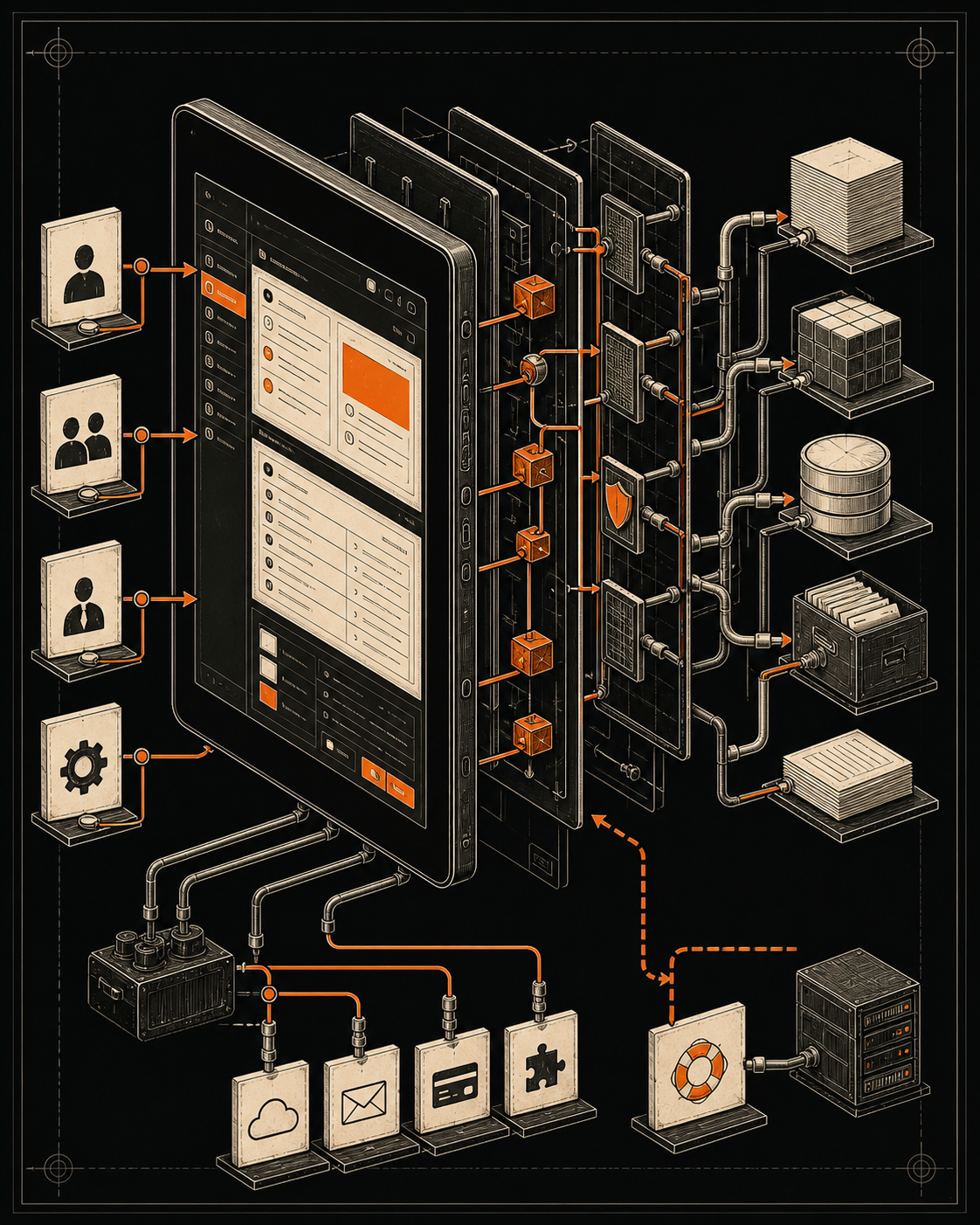
Useful software removes uncertainty from repeated work.
Custom software earns its place when a spreadsheet, inbox or generic platform creates avoidable work and the underlying process is understood well enough to improve.
We map the people, decisions, information and exceptions first. Then we build the smallest coherent product that can support the job and remain understandable after launch.
For teams outgrowing workarounds
Build custom software only when the underlying job is understood.
This service fits a repeated workflow, customer journey or product idea that generic tools cannot support cleanly. We make the operating rules visible first, so custom development solves a real constraint instead of preserving a messy process in code.
Who does what
Make roles, permissions, hand-offs and ownership visible instead of relying on memory and private workarounds.
What the system knows
Define the source, shape, status and lifecycle of important information before building screens around it.
What happens when it fails
Plan validation, exceptions, recovery and support so the workflow remains useful outside the happy path.
Software work, bounded by the need
Internal workflow tools
Replace fragmented hand-offs with a focused place to receive, review, assign and complete work.
Workflow mapping · Roles · Interface · ReportingCustomer portals
Give customers a clear route to submit information, see relevant status and find agreed documents or actions.
Journeys · Authentication · Data · NotificationsSystem integrations
Connect existing tools when moving data automatically is safer and clearer than repeated manual entry.
APIs · Events · Validation · MonitoringResponsive web apps
Build focused products that work across the devices and environments where the task happens.
Product design · Front end · Back end · DeploymentMVP and product foundations
Test a product proposition with a deliberately bounded first release and a visible route for learning.
Discovery · Prototype · MVP · Product roadmapProcess becomes a dependable product
From workarounds to one accountable workflow.
We trace the current job, model the information and rules, design the critical states and build an application with an explicit operating boundary.
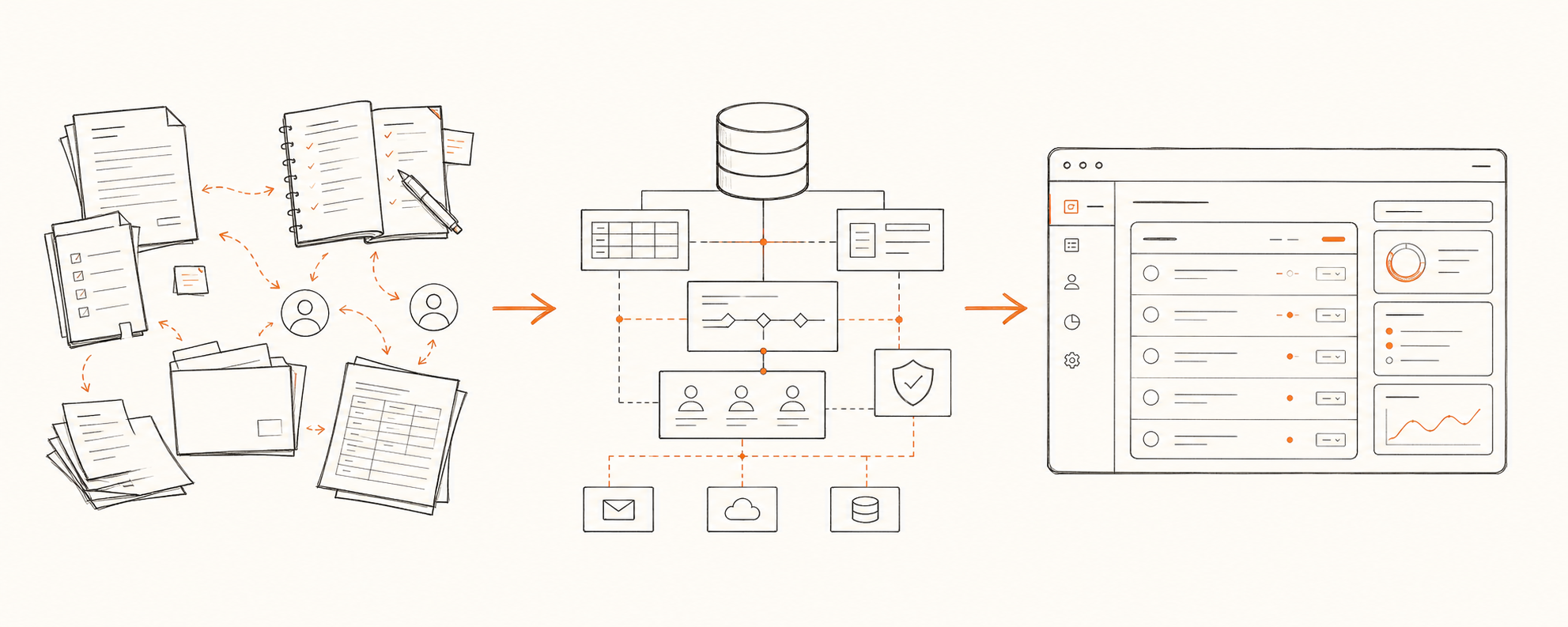
A product process that keeps risk visible.
- 01
Discover
We observe the current task, the people involved, the workarounds and the outcome the business needs.
- 02
Bound
We define what the first release must do, what it will not do and which assumptions need testing.
- 03
Model
We map data, permissions, states, business rules, integrations and the important failure paths.
- 04
Prototype
We test the core journeys and interface decisions before committing to the full implementation.
- 05
Build
We develop the agreed application, connect the required services and keep technical decisions documented.
- 06
Operate
We support release and make monitoring, support, maintenance and future ownership clear.
Engineered for the work around the screen
The interface is only one part of a reliable product.
The difficult parts often sit behind the visible page: permissions, data quality, integrations, exceptions and maintenance. We bring those decisions into the design instead of leaving them for later.
Explicit permissions
Roles and access decisions mapped to the work each person is expected to perform.
Reliable data states
Clear validation, status changes and ownership for the information the workflow depends on.
Useful failure paths
Errors explain what happened, preserve work where possible and give the user a sensible recovery route.
Accessible interfaces
Semantic structure, keyboard operation, visible focus and understandable feedback built into core journeys.
Responsive task design
Screens shaped around where the work happens rather than shrinking a desktop dashboard.
Observable behaviour
Agreed logs and operational signals that help responsible people understand faults and important events.
Secure foundations
Proportionate controls, dependency care and sensible separation of public and private surfaces.
Maintainable architecture
Technology choices and boundaries explained so future change does not depend on guesswork.
What keeps the product operable
Code matters. Decisions and operating knowledge matter too.
Product boundary
A shared record of the problem, scope, assumptions and excluded work.
Data model
The agreed entities, relationships, states and sources behind the workflow.
Source code
Organised project files for the application included in the agreed delivery.
Integration record
Connections, credentials ownership, failure handling and external dependencies documented.
Release guidance
Checks and responsibilities for moving the product into its agreed environment.
Operating plan
A clear approach to support, maintenance, monitoring and future product decisions.
Standards behind the work
The architecture should match the product, not the fashion cycle.
Modern platforms offer many capable building blocks. We choose only what the workflow needs, keeping deployment, storage and observability decisions proportionate to the product.
Cloudflare Workers platform
A reference for serverless applications, framework support, deployment and observability.
Read the primary sourceGOV.UK Service ManualServices for government users
Useful guidance on understanding tasks, realistic constraints and internal-service users.
Read the primary sourceW3CWeb Content Accessibility Guidelines 2.2
The recognised standard used to inform accessible web application interfaces.
Read the primary sourceFAQ
Questions about custom software.
When is custom software the right choice?
It is worth considering when a repeated and important workflow remains poorly served by existing tools, the value of improving it is understood and the business is prepared to own the resulting product. We will say when a simpler configuration or process change is enough.
Can you improve an existing application?
Yes, after reviewing the codebase, product behaviour, deployment setup and the outcome the change should support. We do not promise a rewrite or extension until the condition and ownership of the existing system are understood.
How do you decide what belongs in the first release?
We identify the smallest end-to-end journey that can produce a useful result and test the riskiest assumptions. Features that do not support that journey stay outside the first release until there is a reason to add them.
Can the application connect to our current tools?
Possibly. We review available APIs, authentication, data ownership, limits and failure behaviour before including an integration. A connection is only useful when both systems have a clear responsibility.
Who owns the software after launch?
Ownership of source code, infrastructure accounts, third-party services and ongoing responsibilities is agreed in the proposal. We make those boundaries visible before work starts rather than leaving them implicit.
How is ongoing maintenance handled?
The quote phase establishes what launch support includes. Monitoring, dependency updates, fixes, operational support and new product work can be arranged separately according to the needs and risks of the application.
Replace the workaround with a clearer product.
Bring the workflow, the people involved and the point where existing tools stop helping. We will shape the right first step in the quote phase.
Start a project